The highly anticipated hero shooter, FragPunk, has arrived on PC, but not without a few hiccups. While many are eager to jump in, some players are experiencing a frustrating lack of audio. This makes the already fast-paced gameplay nearly impossible, as sound is crucial for situational awareness in a game like FragPunk. Fortunately, there are a couple of solutions you can try.
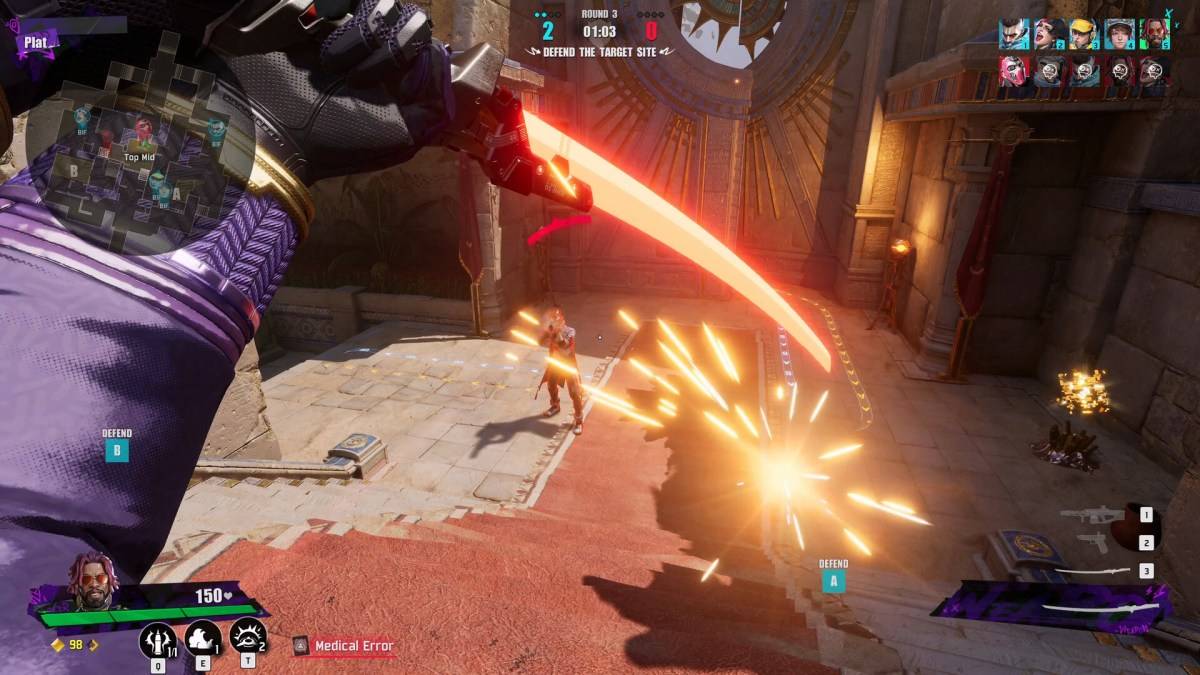
Initially launched only on PC (with PlayStation and Xbox versions delayed), FragPunk has quickly gained popularity, but this audio issue is impacting the experience for many. Thanks to the resourceful FragPunk community, we've got two potential fixes to share, both involving tweaking your system settings:
Disabling Exclusive Mode for FragPunk
- Right-click the speaker icon in your PC's system tray.
- Select "Sound settings".
- Navigate to the "Advanced" section and click "More sound settings".
- Right-click your speakers or headphones.
- Choose "Properties", then go to the "Advanced" tab.
- Uncheck "Allow applications to take exclusive control of this device".
- Click "Apply", then "OK".
- Relaunch FragPunk and check if the audio is restored.
If this doesn't work, there's another solution to try:
Running FragPunk as Administrator
- Right-click the FragPunk shortcut.
- Select "Properties".
- Navigate to the "Compatibility" tab.
- Check the box "Run this program as an administrator".
This grants FragPunk full system access, potentially resolving the audio issue. However, if problems persist after trying both methods, ensure your in-game audio settings are set to default. This helps determine if the problem originates within the game itself or your PC configuration. If it's the former, you'll need to report the issue to Bad Guitar Studio.
With these steps, you should be back to enjoying the explosive action of FragPunk with full audio. For further optimization, check out The Escapist's guide to the best settings and crosshair codes. And for those curious, we've also got a piece detailing the voice actors behind FragPunk and their previous work.
FragPunk is available now on PC, with PlayStation and Xbox releases planned for a later date.

 LATEST ARTICLES